 PTERO
View on GitHub
PTERO
View on GitHub
A web-based IDE for the IEC 61499 standard, targeting DINASORE, with real-time collaboration features. Developed as the prototype for my published Article and Master's Thesis.
Instructions on how to host PTERO can be found in the repository.
For simple testing, a "no backend" demo is publicly available at https://ptero.pedro-beirao.eu/ide.
Deployment here will simply be simulated, and the data is only synced between your tabs (real-time collaboration only in the same browser).
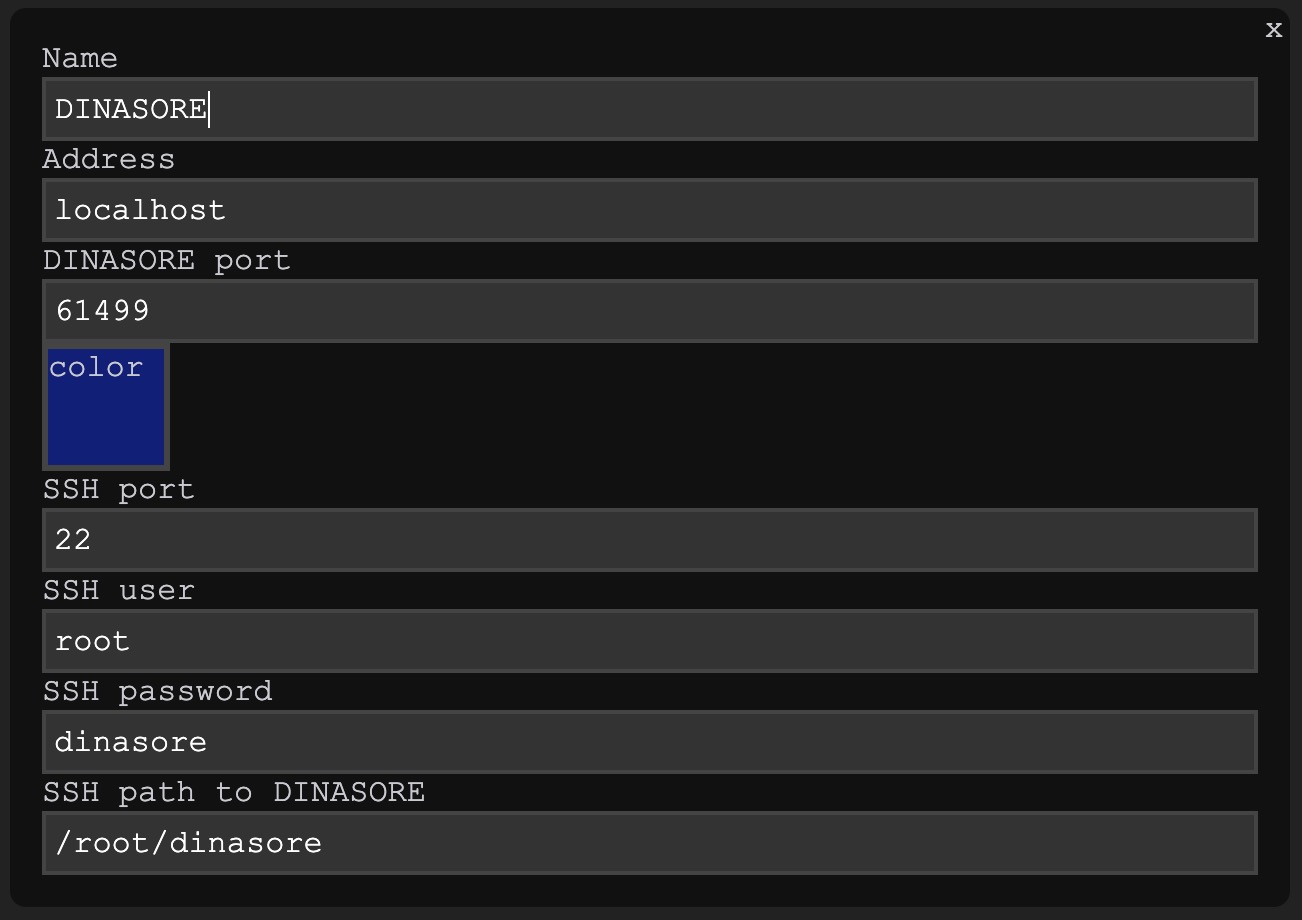
First, go to the CONFIG tab and add a DINASORE, leaving the fields like the default.
You can change the color if you want to.
The SSH fields are used to send the function block files to the DINASORE filesystem.
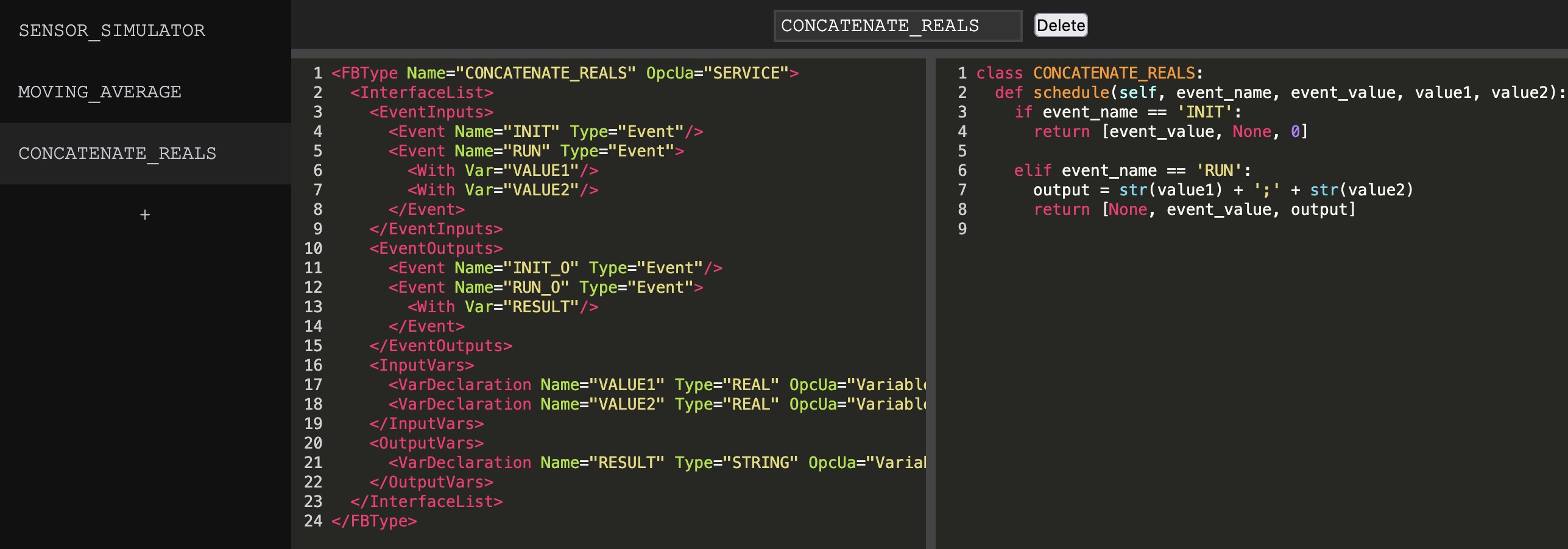
Now move to the FUNCTION BLOCKS tab and create 3 items, naming them SENSOR_SIMULATOR, MOVING_AVERAGE and CONCATENATE_REALS. Copy and Paste the following code into the corresponding items that you have created.
(Click "Copy Code" to have the code copied into your clipboard)
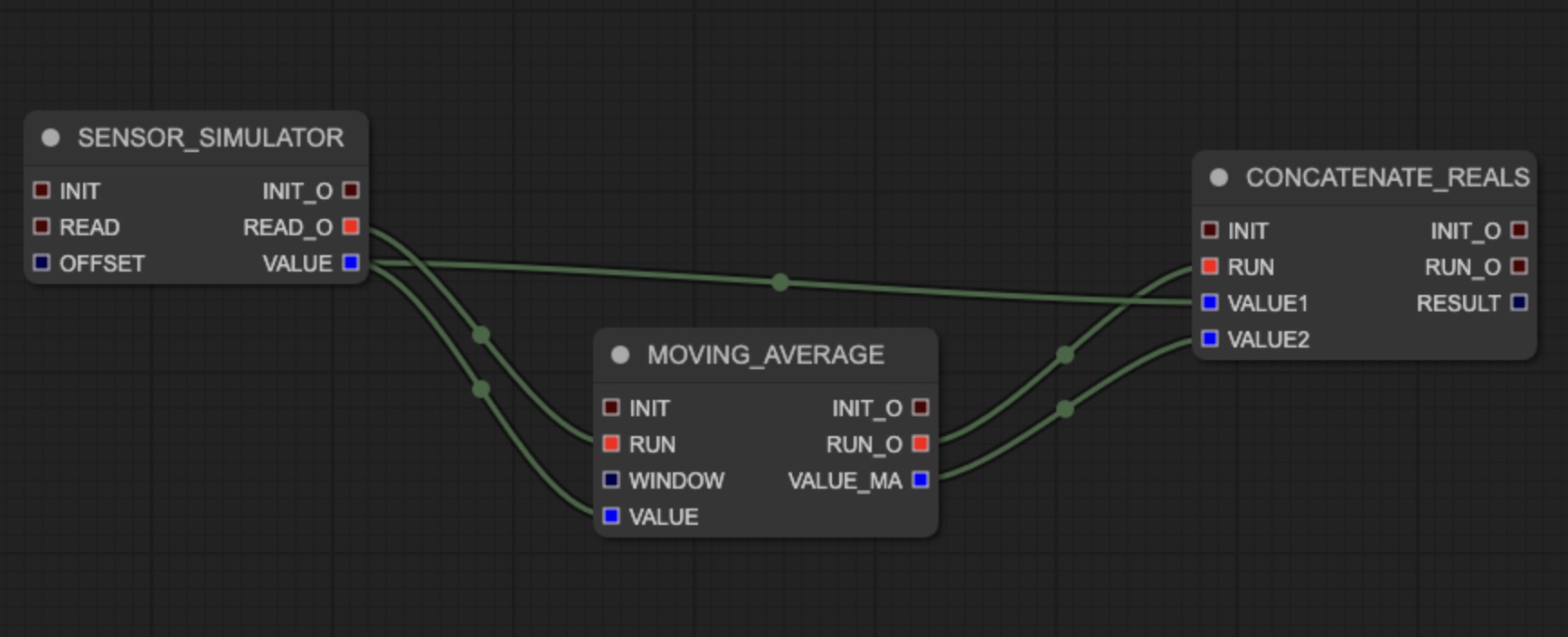
Move over to the GRAPH tab and add the 3 function blocks that you've created, arranging them and connecting them like shown in the image on the left.
This is a good time to test the real-time collaboration capabilities of PTERO. Go ahead an open another tab in this same url and play around with it (the final survey will mention this).
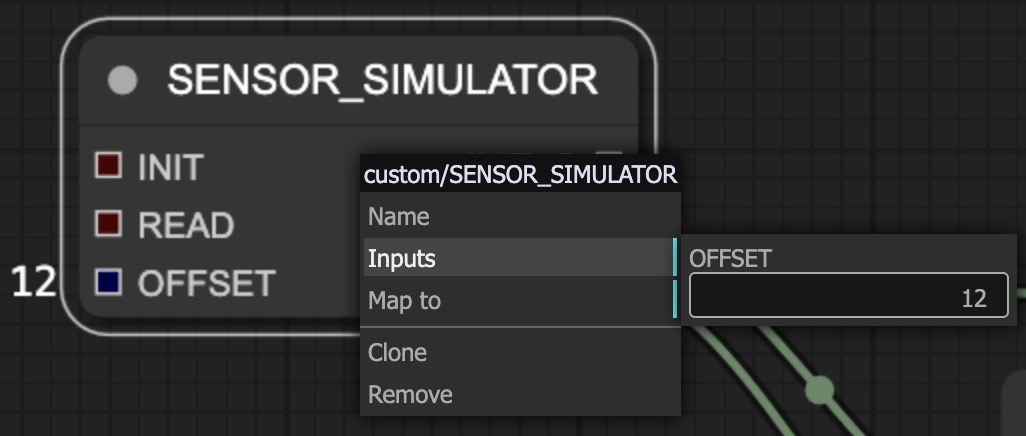
There are 2 unconnected data inputs, assign them the following values:
SENSOR_SIMULATOR OFFSET = 12
MOVING_AVERAGE WINDOW = 5
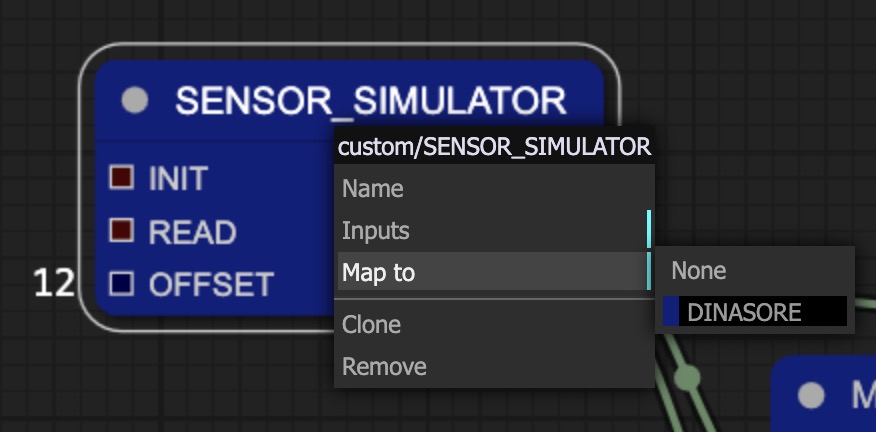
Map all function blocks to the DINASORE. They will change color to reflect this change.
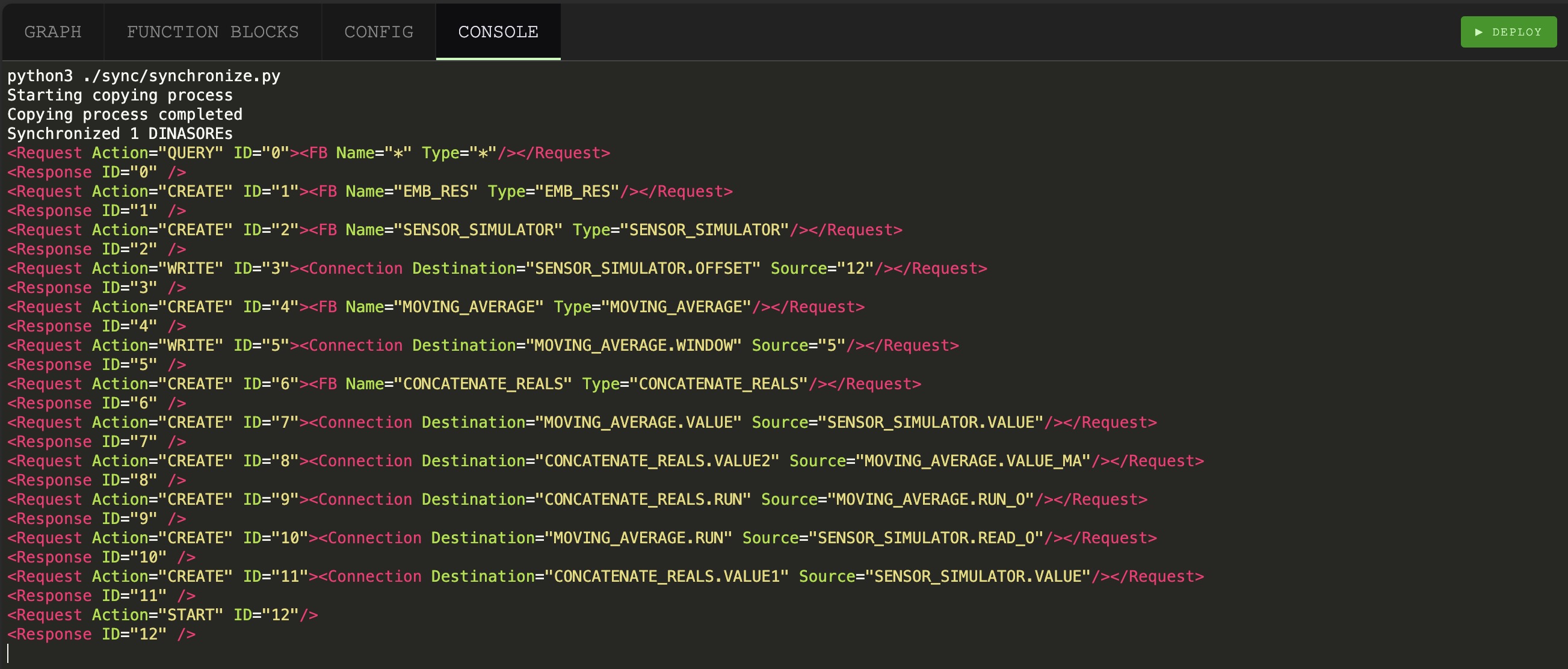
You are now ready to deploy, go to the CONSOLE tabs and press DEPLOY in the top right.
The console should output exactly what you can see the in the following image.
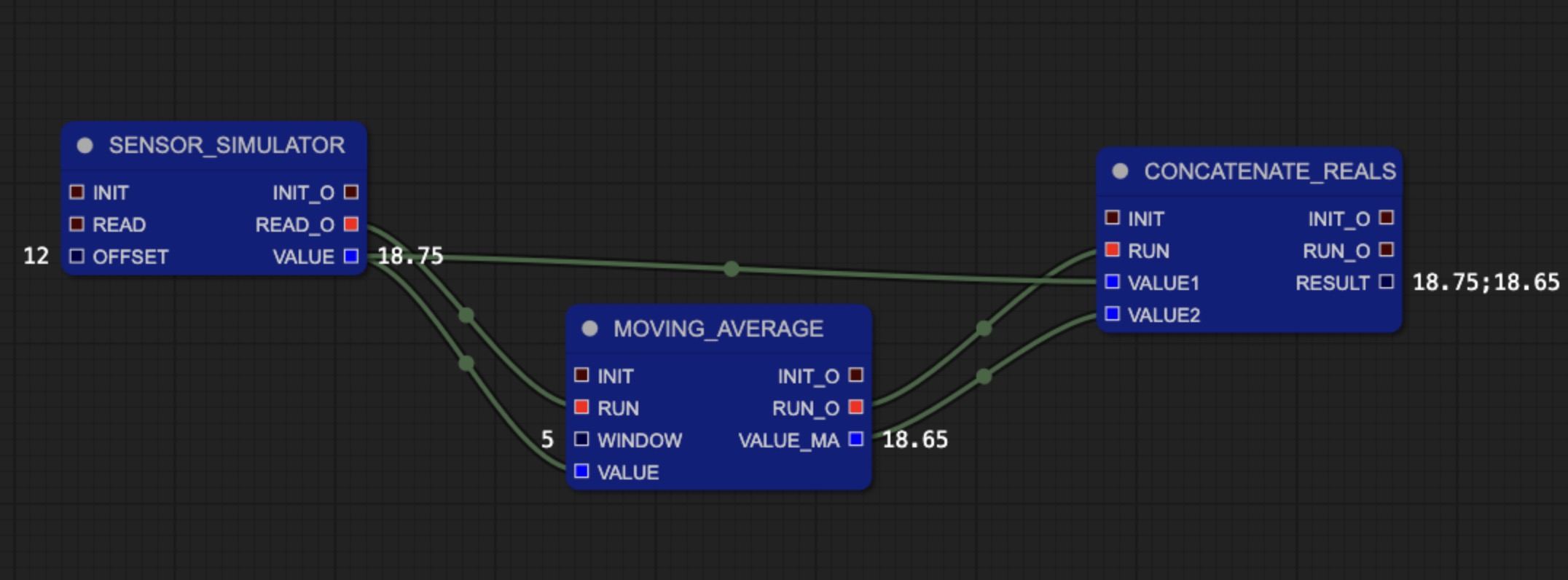
Going back to the GRAPH tab, you should see values on the right of the data outputs.